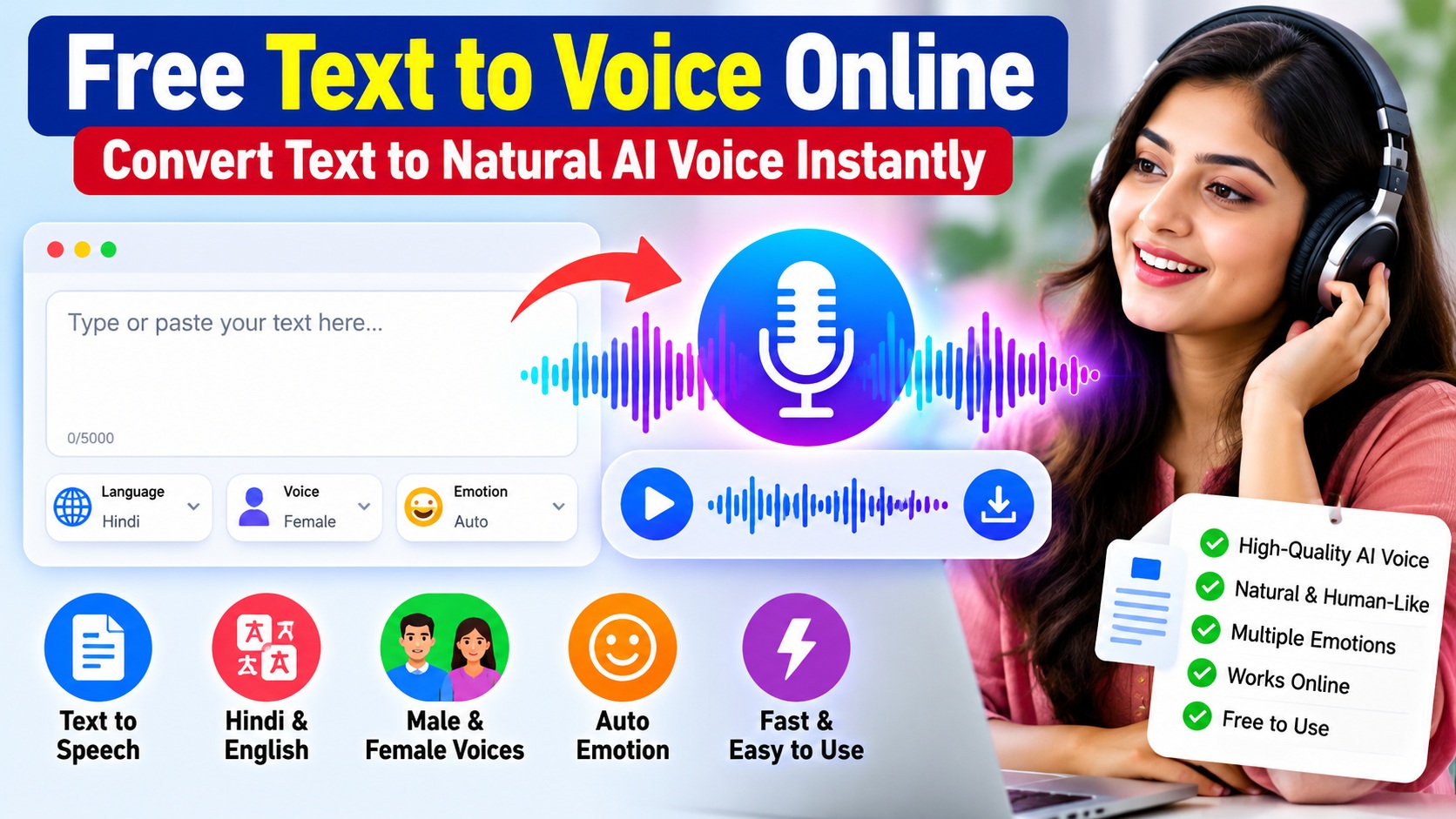
Free Text to Voice Online is a simple and useful tool that helps you convert written text into natural-sounding AI speech. Whether you need voice-over audio for YouTube videos, Facebook videos, educational content, stories, tutorials, or presentations, this online text-to-speech tool makes the process quick and easy.
🎙️ Text to Voice
अपना text लिखें और उसे natural voice में बदलें।
Do you want to convert written text into natural-sounding speech without recording your own voice? Our Free Text to Voice Online tool makes it easy to turn text into clear audio directly from your browser.
Simply enter or paste your text, choose your preferred voice and settings, and generate speech in just a few clicks. The tool is designed for students, teachers, content creators, bloggers, video creators, and anyone who needs quick voice audio from written content.
What Is Text to Voice?
Text to Voice, also known as Text to Speech (TTS), is a technology that converts written words into spoken audio.
Instead of reading a paragraph yourself or recording it with a microphone, you can enter the text into a Text to Voice tool. The system processes the text and generates an audio version of it.
Modern AI-based voice technology can produce speech that sounds much more natural than traditional robotic computer voices.
Try Free Text to Voice Online
Our online Text to Voice tool has been designed to make voice generation simple.
You do not need complicated audio-editing software or recording equipment. Enter your text, select the available options, and let the tool generate the voice for you.
Facebook and Instagram Creators
Short scripts can be converted into audio for Facebook videos, Reels, and other creative projects. If you also work with Facebook video content, you can learn how to copy a Facebook video link with our step-by-step guide.
How to Use Free Text to Voice Online
Using the tool is simple:
- Enter or paste your text into the text box.
- Select the language or available voice option.
- Choose a male or female voice if available.
- Select the emotion or use the Auto Emotion option.
- Click the button to generate the voice.
- Listen to the generated audio.
- Download the audio if the download option is available.
The exact options may vary as we continue improving the tool.
What Is Text to Voice?
Modern web browsers can also support speech-related features through technologies such as the Web Speech API, which includes speech synthesis capabilities for converting text into spoken output.
What Is Auto Emotion?
One of the useful features of our Text to Voice tool is Auto Emotion.
When Auto Emotion is selected, the system analyzes the supplied text and attempts to choose a suitable speaking style based on the content.
For example, a cheerful message may need a different delivery from an emotional story or a serious informational paragraph.
This can reduce the need to manually select an emotion every time you generate audio.
AI Text to Speech with Male and Female Voices
Different content works better with different voices. That is why our tool can provide male and female voice options where supported.
You can experiment with the available voices and choose the one that best matches your content.
A voice suitable for an educational explanation may not be the same voice you want for a motivational story, short video, announcement, or social media content.
Hindi and English Text to Speech Online
Text-to-speech technology can be particularly useful for creators working with different languages.
You can use supported voices to create speech for content such as:
- Hindi stories
- English articles
- Educational content
- Motivational videos
- YouTube videos
- Facebook videos
- Reels and Shorts
- Tutorials
- Presentations
- Voice-over drafts
Always check the generated pronunciation before publishing important audio, particularly for names, abbreviations, technical terms, and mixed-language sentences.
Why Use Free Text to Voice Online?
Recording voice manually can require a microphone, a quiet room, multiple takes, and audio-editing software.
Text to Voice can make the process much faster.
For example, suppose you have written a short educational video script. Instead of recording the script several times because of mistakes, you can paste the final text into the tool and generate the audio.
It can be especially useful when you regularly create voice-over content.
Who Can Use an AI Voice Generator?
Students
Students can convert study notes or short educational passages into audio and listen to them as an additional learning method.
Teachers
Teachers can create audio versions of selected educational material, instructions, or presentations.
YouTube Creators
Creators who make tutorials, explainers, stories, or other videos can use generated speech as part of their voice-over workflow where appropriate.
Facebook and Instagram Creators
Short scripts can be converted into audio for social media videos, Reels, and other creative projects.
Bloggers and Website Owners
Bloggers can experiment with audio versions of their own written material to make content available in another format.
Tips for Getting Better AI Voice Output
Good input text usually produces better speech.
Use proper punctuation because commas, full stops, and question marks can affect how a sentence is spoken.
Keep sentences reasonably clear and natural. Extremely long sentences may sound less natural.
Write numbers, abbreviations, or unusual words in a form that the voice system can pronounce correctly when necessary.
Most importantly, listen to the generated audio before using it in a finished project.
Is Text to Voice the Same as AI Voice Generation?
The terms are often used together, but they are not always identical.
Text to Speech (TTS) generally refers to technology that converts written text into spoken audio.
AI Voice Generation is a broader term that may include advanced synthetic speech, different speaking styles, emotions, multilingual voices, and other AI-assisted voice features.
Our goal is to provide a simple interface where users can convert text into useful speech without needing technical knowledge.
Responsible Use of AI-Generated Voice
AI voice technology should be used responsibly.
Do not use generated voices to impersonate another person, mislead people, commit fraud, or create deceptive content.
You should also make sure that you have the necessary rights or permission for any text, audio, or other material you publish.
AI-generated speech should be treated as a creative and productivity tool—not as a way to misrepresent someone’s identity or statements.
Frequently Asked Questions
Is the Text to Voice tool free?
The availability and usage limits depend on the current version of the service. Check the tool page for the latest available options.
Can I convert Hindi text into voice?
Hindi voice generation can be used when a compatible Hindi voice is available in the tool.
Can I convert English text into speech?
Yes, supported English text can be converted into speech using the available English voice options.
Can I select a male or female voice?
If multiple voices are available in the current version, you can choose the voice that best suits your content.
What does Auto Emotion do?
Auto Emotion attempts to select an appropriate speaking style based on the text instead of requiring you to manually choose an emotion for every generation.
Can I use generated audio for YouTube videos?
You may use generated audio according to the terms applicable to the voice service and your content. You are responsible for ensuring that your text, audio, and published content comply with applicable copyright, platform, and usage rules.
Why does an AI voice sometimes pronounce a word incorrectly?
Names, abbreviations, uncommon words, technical terms, and mixed-language text can sometimes be difficult for speech systems. Changing punctuation or writing the word phonetically may improve the result.
Conclusion
A Free Text to Voice Online tool can make voice creation easier for students, teachers, bloggers, YouTube creators, and social media creators. It helps convert written content into speech without requiring complicated recording equipment or audio-editing skills.
Free Text to Voice Online makes it easy to create AI-generated speech for educational, creative, and everyday content.
Whether you are creating educational content, a story, a tutorial, a social media video, or experimenting with AI-generated speech, our tool provides a simple way to turn text into audio.
Enter your text, select the available voice settings, generate the speech, and listen to the result.
As the tool develops, we will continue working to improve its voice options, usability, and overall experience.